With the arrival of spring, at least in the northern hemisphere, we’re celebrating with a fresh round of updates and new features. These updates are all designed to help us deliver on our mission of helping you achieve smoother creative workflows.
From checklists to a Dropbox connection, dashboard table view to new email validation, label updates and more, here’s what we’ve been working on.
Checklists
The recently added proofing checklists is an advanced feature that provides a way of presenting reviewers and approvers with a specific and structured list of requirements to focus on and confirm before approving a file.
When a checklist is created and assigned to a Review, it will display to approvers in a sidebar menu when a file is first displayed. The approver will have to check off each required item in the checklist before they will be able to provide a final approval action on the file (it is also possible to select revisions required with a partially complete checklist).
The status of the checklist will also be displayed in the approval tab so you can easily track what’s been completed and verified by approvers.
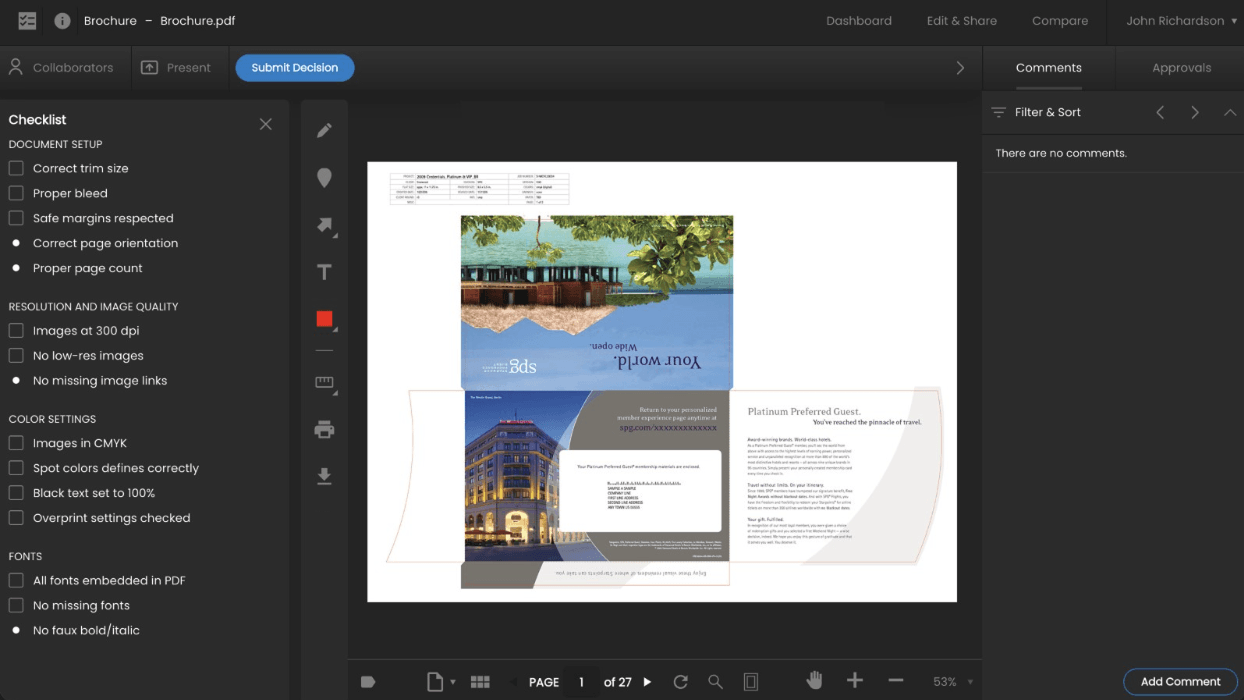
Table View from the Dashboard
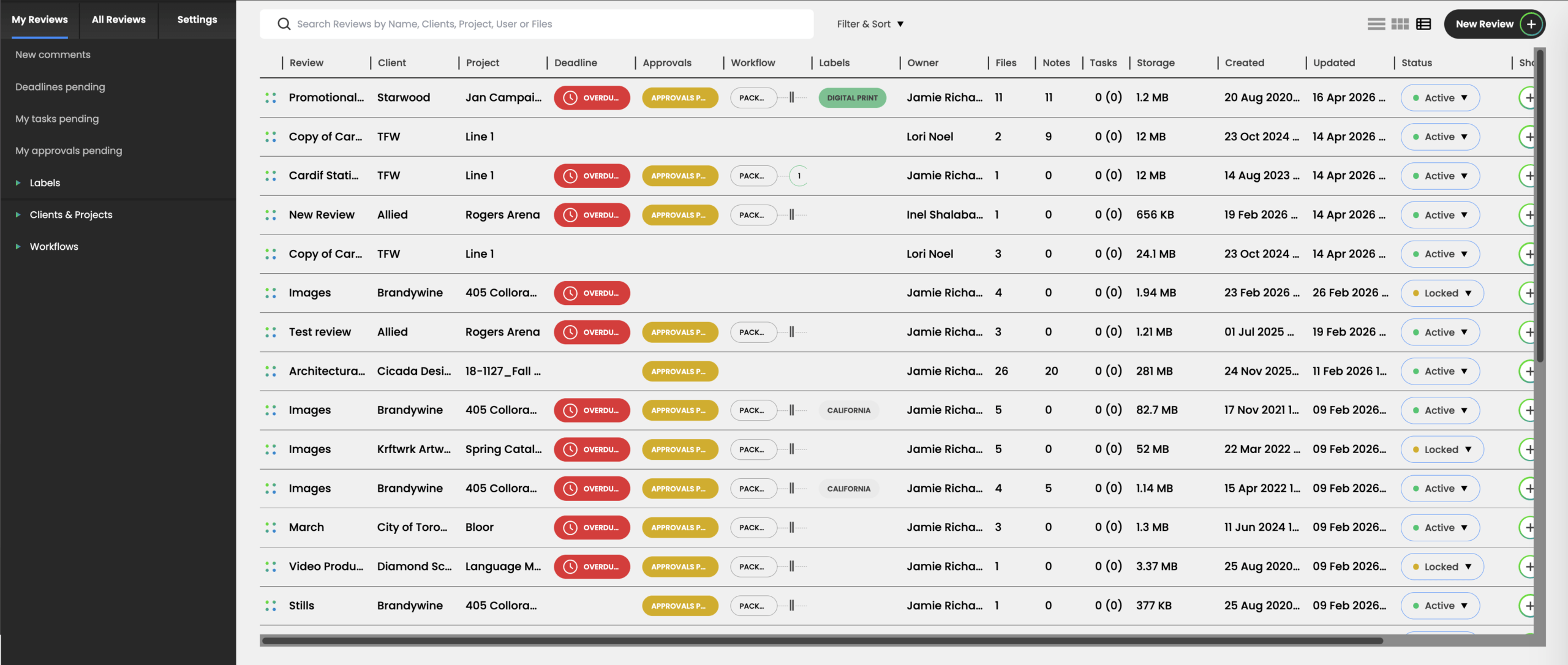
To help manage a large number of Reviews, the Table View of the Dashboard, found next to the Card and Row view options, provides a more compact way of viewing more Review information on one page. This includes Client & Project details, workflow stages, labels, dates of creation and last updates, and more.
You are able to set the desired width of each column once , and the layout will remain persistent between future sessions on the same device.
Label Visibility for Specific Clients
If you’re not already taking advantage of Review labels, they provide a flexible way to further organize and manage ongoing review workflows. For example, you can define labels to represent the priority of Reviews or tasks or to indicate teams or geographic locations.
Labels can be applied to Reviews, files or even specific comments. Once a label is applied, users can quickly search and filter for any Review, file, or comment the label has been applied to.
With the new update, it is now possible to limit the list of file and comment labels that can be visible for any specific Review by creating a label list for a specific Client. This functionality can be useful if your use case requires that client-specific labels be applied by reviewers and you don’t want those reviewers to see labels that may be used for other clients.
Dropbox Connection
The Dropbox connection offers the ability to transfer files to and from a Review directly from your Dropbox account. Each user who wants to use this feature will have to first link their Dropbox user account to their ReviewStudio user account.
In addition to Dropbox, we offer several other native integrations and connection options.
Deactivate Users
To make it easier to manage occasional or cyclical users on your ReviewStudio account, you can now deactivate a user (as opposed to delete). A deactivated user does not have access to your account and will not be counted toward your account limits. Should the need arise, you can instantly reactivate a user. If you invite a deactivated user to a Review as a guest, they will automatically be reactivated as a guest on your account.
New Email Validation Requirement
To improve security of the ReviewStudio platform and reduce email delivery issues, we now require any new user or guest invited to participate in your account activity first validate their email address to gain access to a dashboard or Review.
The invitation will also offer new users the opportunity to set their own passwords when they accept the invitation. In addition, the first time a guest accesses a Review through a shared link , they will be required to enter a code sent to the email address they provide before they can gain access.
And there’s so much more to come.
We have a lot brewing behind the scenes. We won’t spill the beans just yet, but stay tuned.
If you have any questions or comments about these or any other features, don’t hesitate to reach out to us.